
Monthly planning
An athlete's Home tab shows their day-to-day monthly calendar, along with the weekly availability they've told Wyder about, so you can see when they're generally free to train without leaving the page.
Hover over any workout to preview its structure before opening it, or click through for the full review (see Reviewing a workout). On a day with three or more activities, they stack into a single card you can expand, so a busy day doesn't crowd the rest of the calendar.
Plan a new workout by clicking Add workout for a specific date (see Building workouts). As mentioned in Reviewing drafts, a batch of drafted sessions can also be selected and published, discarded, or cleared together right from this same calendar, rather than opening each one.
Yearly planning
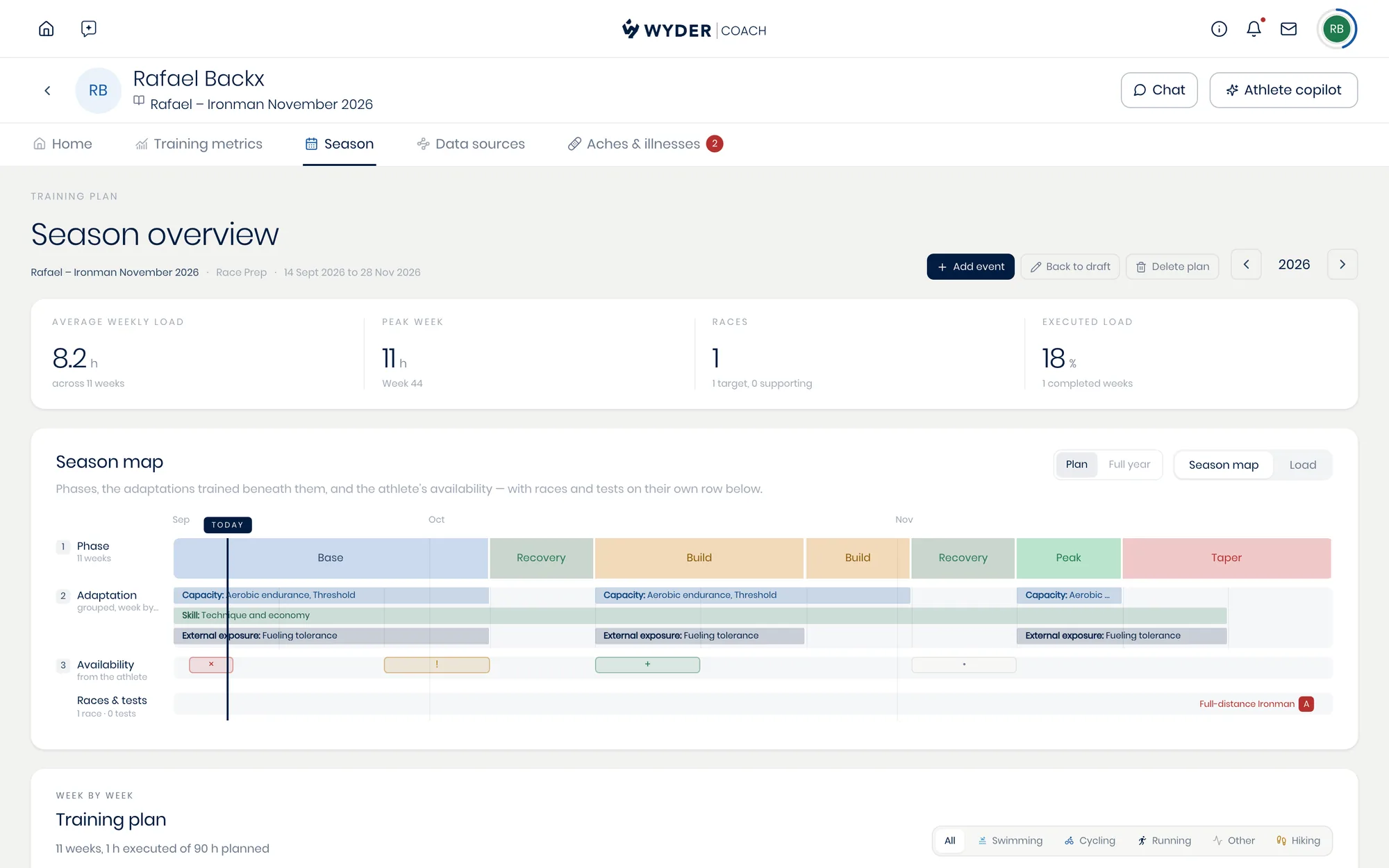
Switch to the Season tab to see your athlete's whole year at once. The Season map stacks the plan into layers, so a single week shows you its training phase, the adaptations being trained underneath it, what the athlete has told you about their own availability, and any race that falls in it.
A race-oriented plan moves through its phases in order (base, build, peak, taper, recovery, maintenance), each with its own duration in weeks.
Below the map you'll find the same season listed week by week, and clicking a week opens everything you can set for it.
See Reading the season view for the map and the list, and Planning a week for changing one. Add the athlete's goal events from here as well (see Adding races and goal events).
Training plan
The plan behind these views can be built by hand or drafted by your personal AI co-pilot, which starts by creating a full annual plan before generating the detailed, day-by-day workouts four weeks ahead to start, then two weeks ahead on a rolling basis after that.
See Creating and adjusting a training plan for how that works, and for how to adjust a phase when reality doesn't match what was planned.