
Two separate draft states, with the same effect
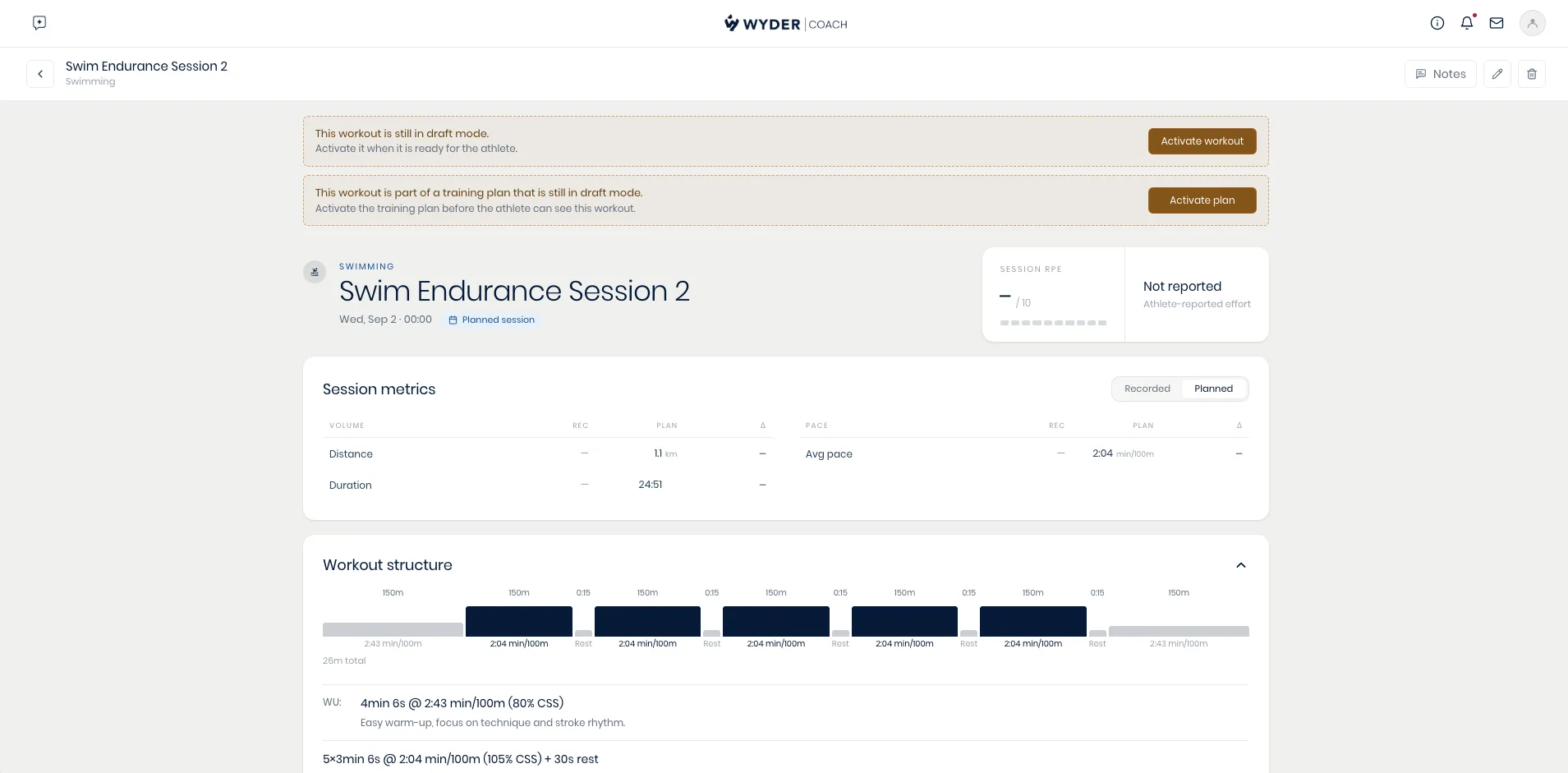
A plan and the workouts inside it can each be in draft, independently of each other. An active plan (shown to your athletes) can still contain individual draft workouts, but a workout is never visible to the athlete while its plan is still a draft.
A draft plan
A plan starts as a draft the moment it's created, whether you built it by hand or asked your co-pilot to draft it. Nothing inside it, not one single workout, reaches the athlete until you activate the plan itself. You'll see this on the athlete's Home and Season tabs: a banner naming the draft plan, with an Activate plan button right there.
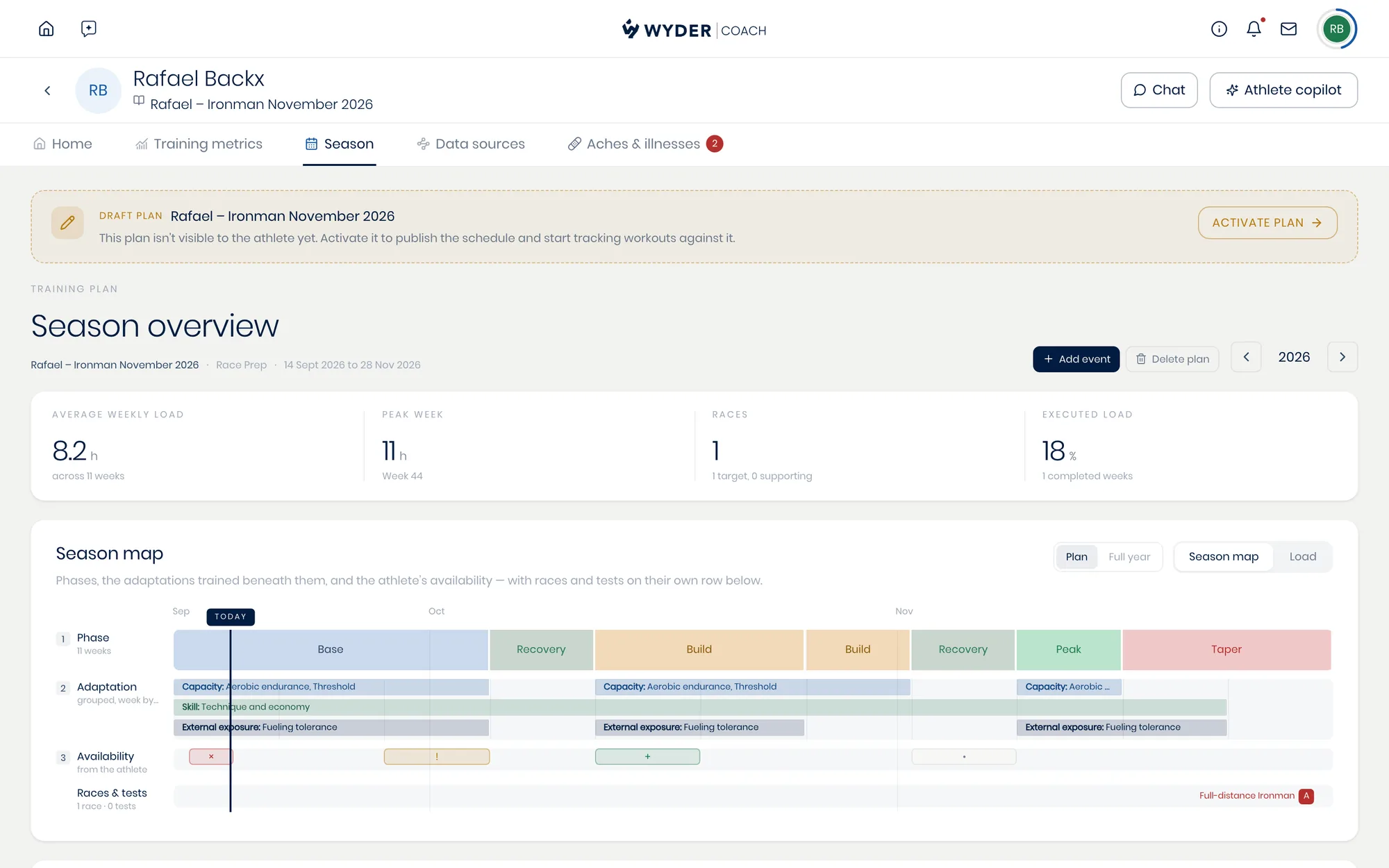
Drafted workouts inside the plan also show up flagged on the athlete's monthly calendar, so you can spot at a glance which sessions still need activating once the plan itself is live.
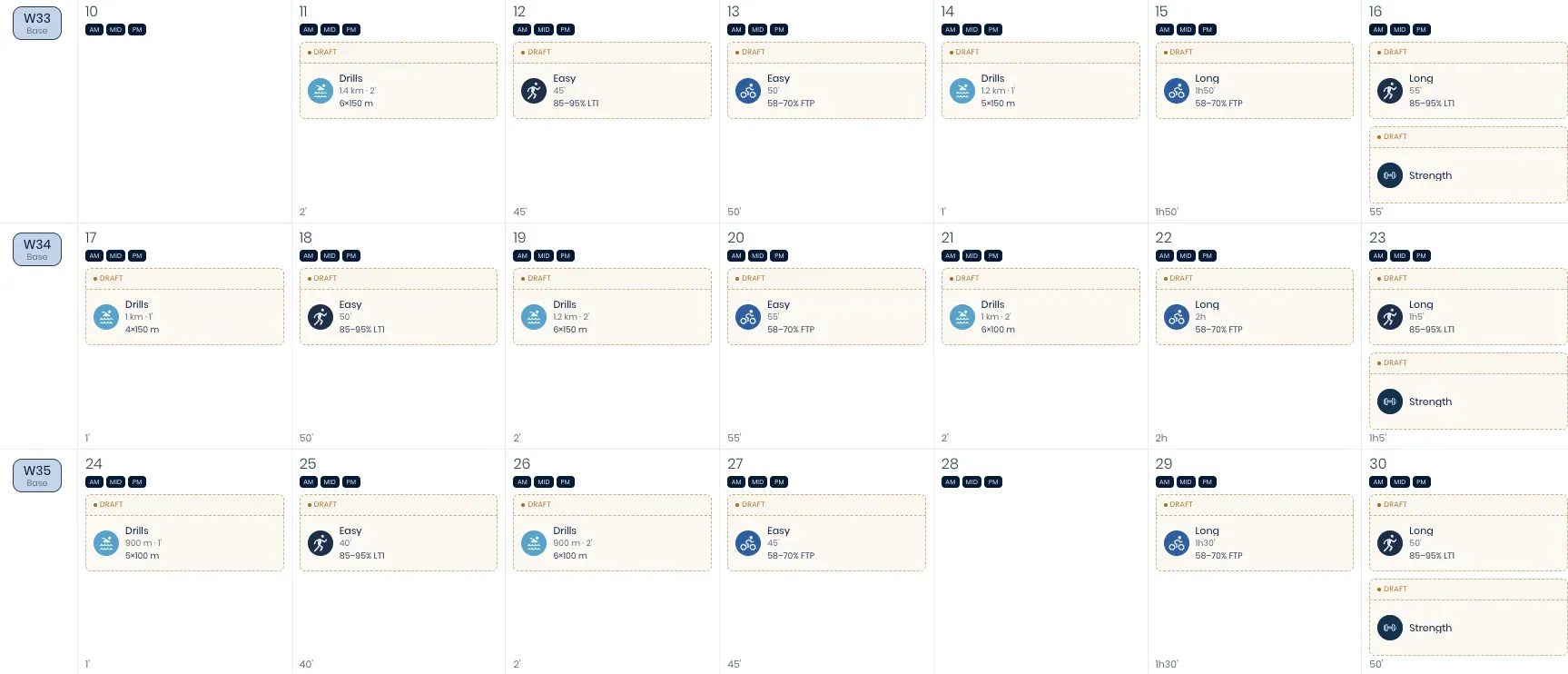
A draft workout, inside an already-active plan
Even once a plan is active, a brand new workout you add to it starts as its own draft by default, separate from the plan around it, unless you choose Save and publish instead of Save draft right there when you create it.
Editing an existing workout doesn't change its status either way: an already-active one stays visible to the athlete when you save your changes, and a still-draft one stays draft until you activate it yourself.
Open the workout's review page to see its own banner and Activate workout button whenever it needs one, separate from any plan-level banner.
Still not showing up?
If the plan and the workout are both already active and it still isn't there, double check it was actually assigned to that athlete and scheduled for the date you expect. A workout built in your library doesn't reach anyone until it's placed on a plan.
As mentioned above, a plan can be active while individual workouts inside it are still their own draft; see Reviewing drafts for how to batch-publish several of them at once instead of activating each one by hand, or How do my athletes get started if you're not sure your athlete has finished connecting yet.
If your athlete is coached by you, they never need a separate Wyder subscription to see their plan or enjoy all benefits of the Wyder app.