
Workout types
A steady session focusing on one continuous effort, an interval session made of warm-up, work, rest, and cool-down blocks including repeat groups, or a strength session built from individual exercises instead of pace or power...
Build any of them from your Workout Library, accessible at any time via Workspace (profile icon in the top right) -> Workout Library, or build and plan one directly from an athlete's calendar by selecting a specific date in the monthly calendar and clicking Add workout.
Building a repeat group or a block you've already used elsewhere in the same session? Duplicate it instead of building it again from scratch. You can also attach a GPX route to a workout, so an athlete sees exactly where they're headed before they start.
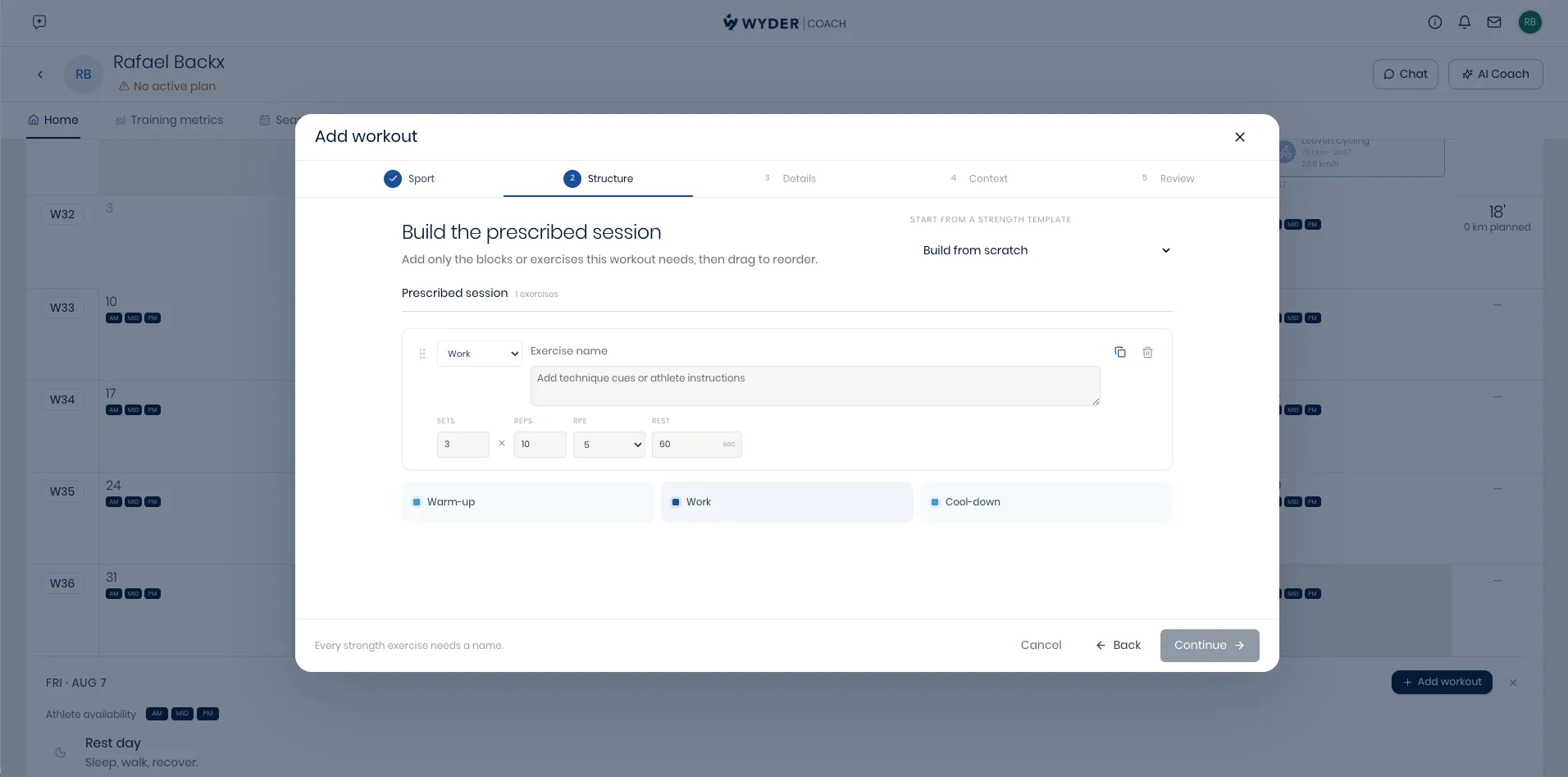
A strength session is built differently
A strength workout is a list of exercises rather than blocks of intensity: give each one a name, sets, reps, an RPE target, rest between sets, and any technique instructions the athlete needs to know before they start.
Intensity anchoring
Every block's intensity can be anchored to a real threshold (LT1, LT2, FTP, CSS, or heart rate, see Setting zones and thresholds). This means the same template resolves to the right numbers for whichever athlete it's assigned to, so you build a session once and it fits everyone it's given to, without recalculating a single pace or power number by hand.
When building from your Workout Library, you can preview exactly what those numbers look like for a specific athlete before saving, so you can sanity-check the session before it goes anywhere. Building directly from an athlete's calendar skips this step, since the numbers already resolve to that one athlete automatically.
Either way, if the athlete is missing a fitness metric this workout needs (say, no FTP was ever recorded), you'll see a warning before you assign it, so nothing gets sent out with a gap in it.
Need an exact number instead? A fixed pace or power target can also be set, irrespective of your athletes' thresholds.
Importance levels and workout notes
Attach a workout to a training plan with an importance level (key, normal, or optional), so both you and the athlete know at a glance which sessions really matter versus which ones may flex.
Add a note the athlete actually sees alongside the workout too: pacing guidance, technique cues, or simply the reason it's there. It appears right on their own training plan in the Wyder app, attached to that specific session. Looking for how the athlete responds once the session is done instead? That's covered in Reviewing a workout.