
The general scheme
Zone schemes live on the Zones page. A scheme under General library belongs to one sport and one metric, so Running keeps its pace schemes separate from its heart-rate schemes, and every general zone scheme is available to your whole roster. Multiple zone schemes can be defined in parallel, which gives you the full flexibility to build the zone system your coaching actually needs: a five-zone model for most athletes, along with a three-zone version for the ones who don't want more.
A general scheme is written in percentages of an anchor, and you can mix anchors within one scheme. That is what lets a scheme follow the physiology you actually coach to rather than forcing every boundary off a single reference point.
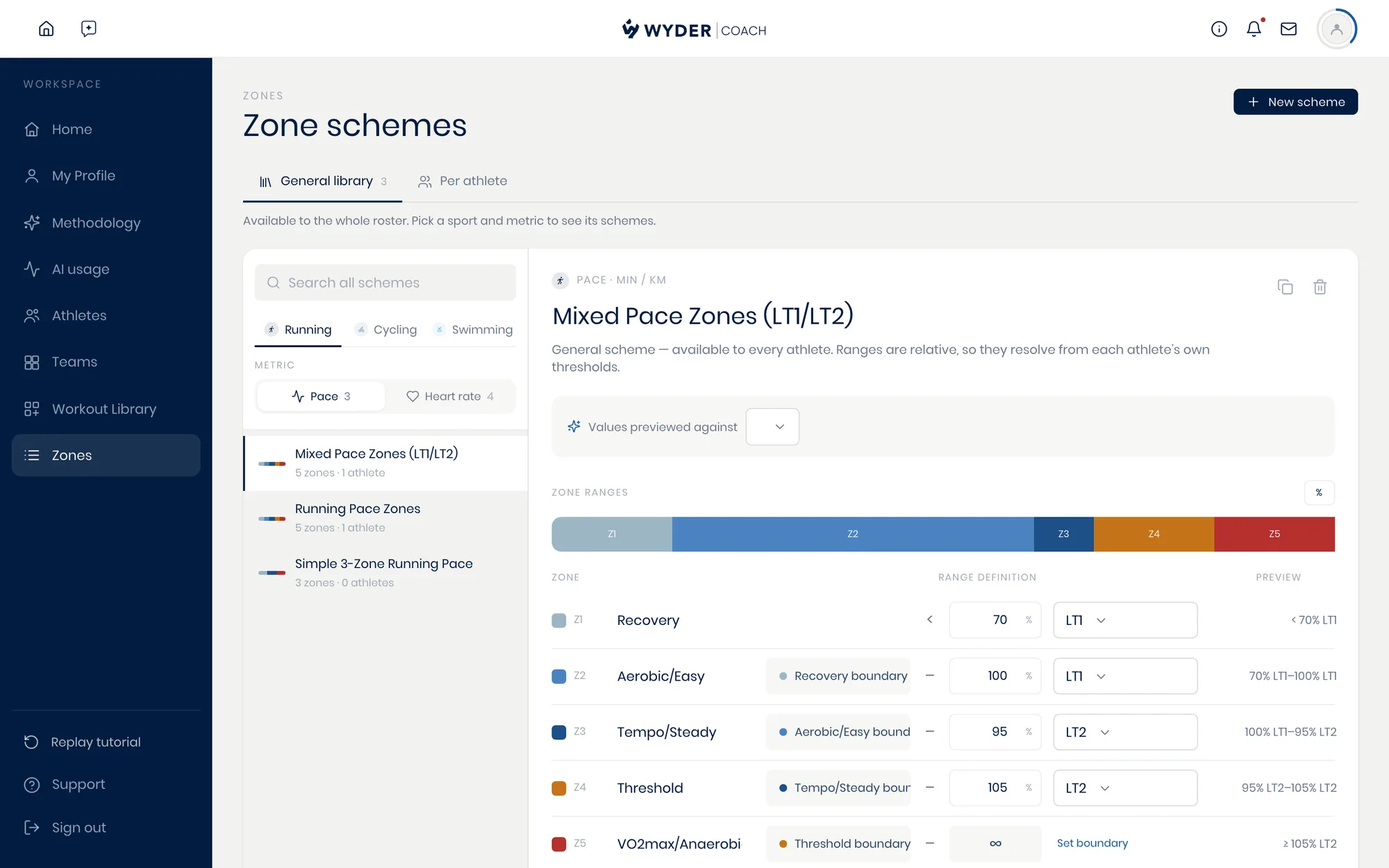
Each scheme shows how many athletes and workouts use it, so you can see what a change is about to affect. While editing, preview it against one athlete's thresholds and the percentages turn into the paces or heart rates they'll actually see.
LT1 and LT2 are both available as separate anchors, so you can set each one directly rather than approximating one from the other.
An athlete's own scheme
You can also tailor your zone settings to individual athletes, alongside your general zone scheme library. Switch to Per athlete, select an athlete, and choose which scheme they specifically should use for each sport and metric instead. This allows you to override your general zone schemes whenever an athlete requires a more personalized setup.
An athlete-specific scheme can be written in two ways:
- Keep it Percentage-based to scale with their thresholds as fitness changes,
- Or choose Set value and enter the paces or powers directly when you already know exactly what you want prescribed, for example straight from a lactate test.
Wyder also allows you to define zones for specific athletes using raw pace or power values.
Additionally, the Per athlete list flags anyone whose schemes need attention, so an athlete left without one for a sport they train doesn't stay that way unnoticed.
Their own numbers
A percentage-based scheme only becomes real paces and powers once it resolves against the athlete's own thresholds. Those live on the athlete's Training metrics tab, in their fitness metrics, where you record Max HR, LT1, LT2, FTP or CSS as they apply. Update them as fitness changes and every zone built on them moves with it.
Workout templates are usually built on intensity anchors linked to training zones, but a workout's intensity can also be expressed directly in pace or power. You don't have to convert zones into efforts whenever you'd rather not, as covered in Building workouts.