
The context your co-pilot actually plans from
Your default methodology tells Wyder how you coach (see Defining your coaching methodology). An athlete-specific methodology tells it how to coach this one athlete, and your co-pilot treats it as the final word wherever the two disagree. Every conversation you have about them, every plan or workout it drafts on their behalf, and every recap it writes about their week is built from it.
Until you set one up, all of that falls back on your general approach. That works for an athlete who sits squarely inside it, but it is quietly misaligned for everyone else.
This is also the setting that ususally decides how conservative your co-pilot is, so it is especially recommended to set this up for any competitive athletes on your roster.
Opening an athlete's setup
You enter this flow right after inviting an athlete during onboarding, and you can open it whenever you like afterwards from Workspace (profile icon in the top right) -> Methodology -> Athlete-specific methodologies, where everyone you coach is listed underneath your default coaching methodology.
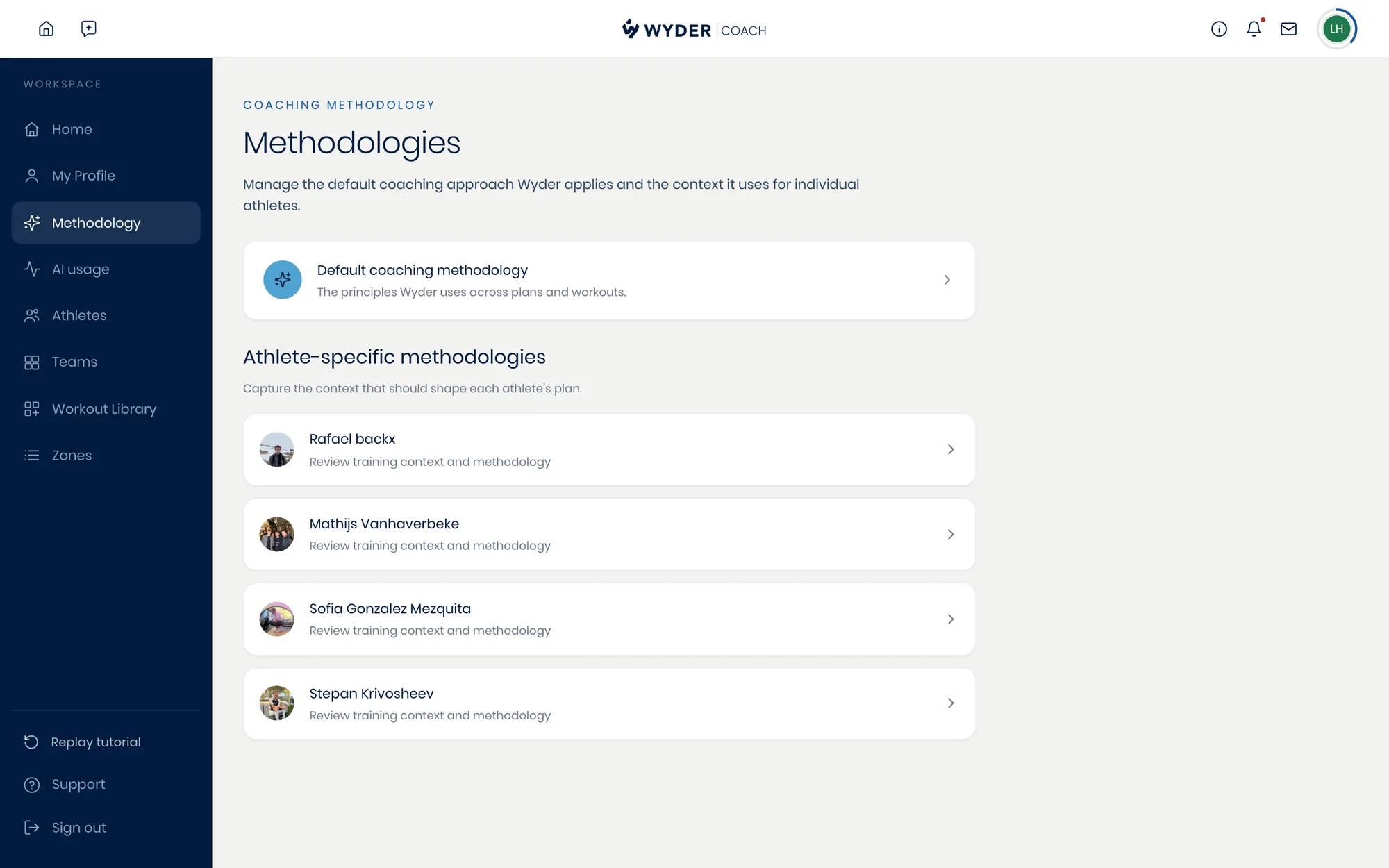
The setup runs in five phases: Level, Approach, Capacity, Athlete, and Review. None of it is mandatory. Every step has a Skip for now, your answers save as you go, and the stepper across the top takes you back to any phase you click on.
If Wyder already knows something about the athlete, it fills that answer in for you and tells you it did, so read those carefully before you move past them.
How fast Wyder is allowed to progress them
Level is a single choice between Beginner, Recreational, Competitive, and Elite, and it describes where the athlete is now rather than where they want to be. It sets the rate at which your co-pilot is willing to build load. Pick Elite for a recreational athlete and the progressions get steeper than that body can absorb.
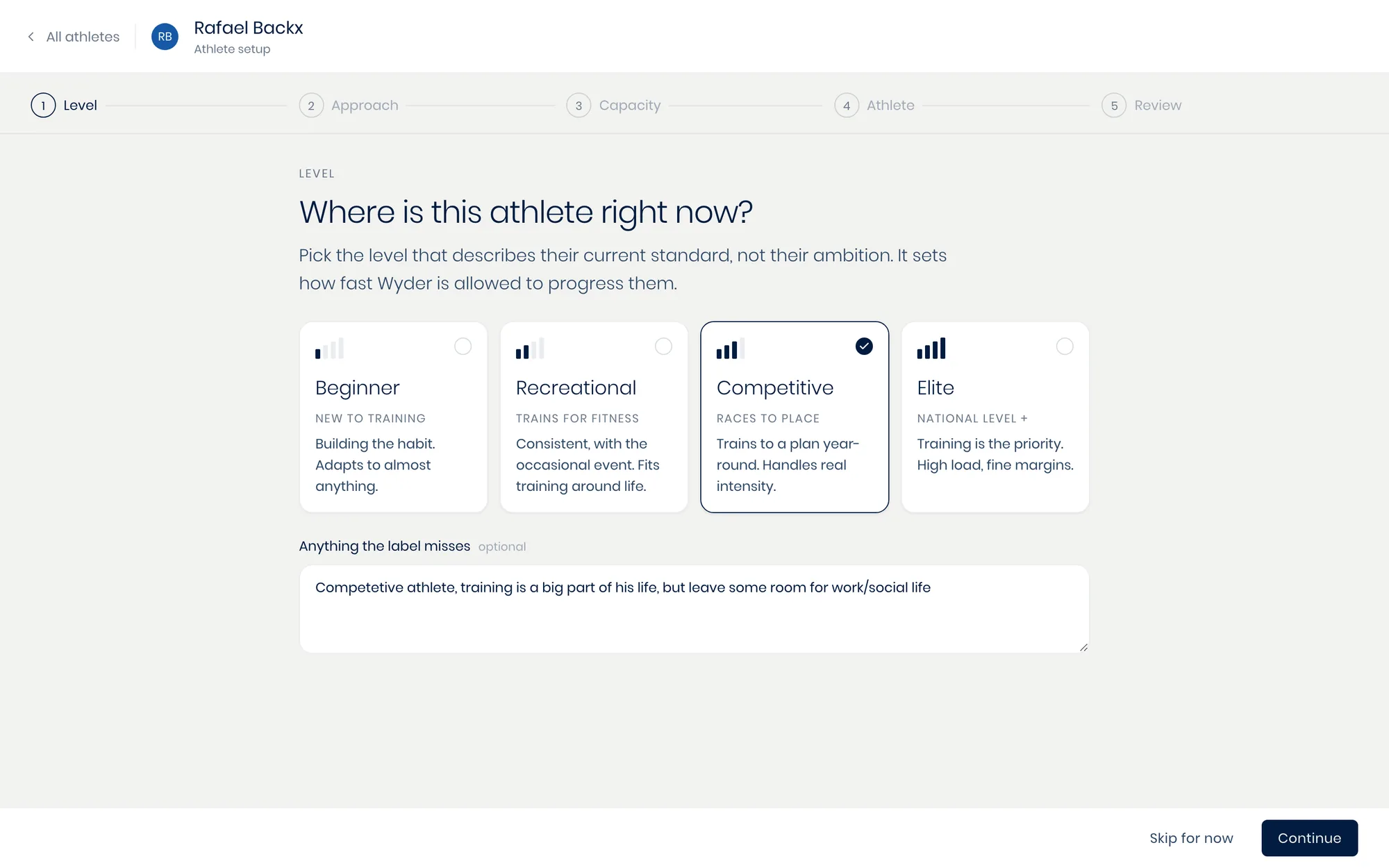
Underneath each picker there is a free-text box for anything the label misses. That is where the real detail goes, and your co-pilot reads it alongside the choice itself.
How close to the edge you want to go
The Approach phase opens with Intensity split, where you describe how their week should divide across easy, moderate and hard work. Write it however you think about it, in percentages, sessions per week, or just how it should feel, and Wyder pulls the numbers out and holds them as targets.
Then comes Risk appetite, which is the other half of the same decision and the one worth the most thought.
Protective pulls load at the first niggle and accepts a slower build in exchange for uninterrupted training. Balanced trains through minor complaints with modified sessions, and stops only when a symptom changes gait, sleep or mood. Push the edge holds load through discomfort and accepts a real risk of a short lay-off for a higher ceiling.
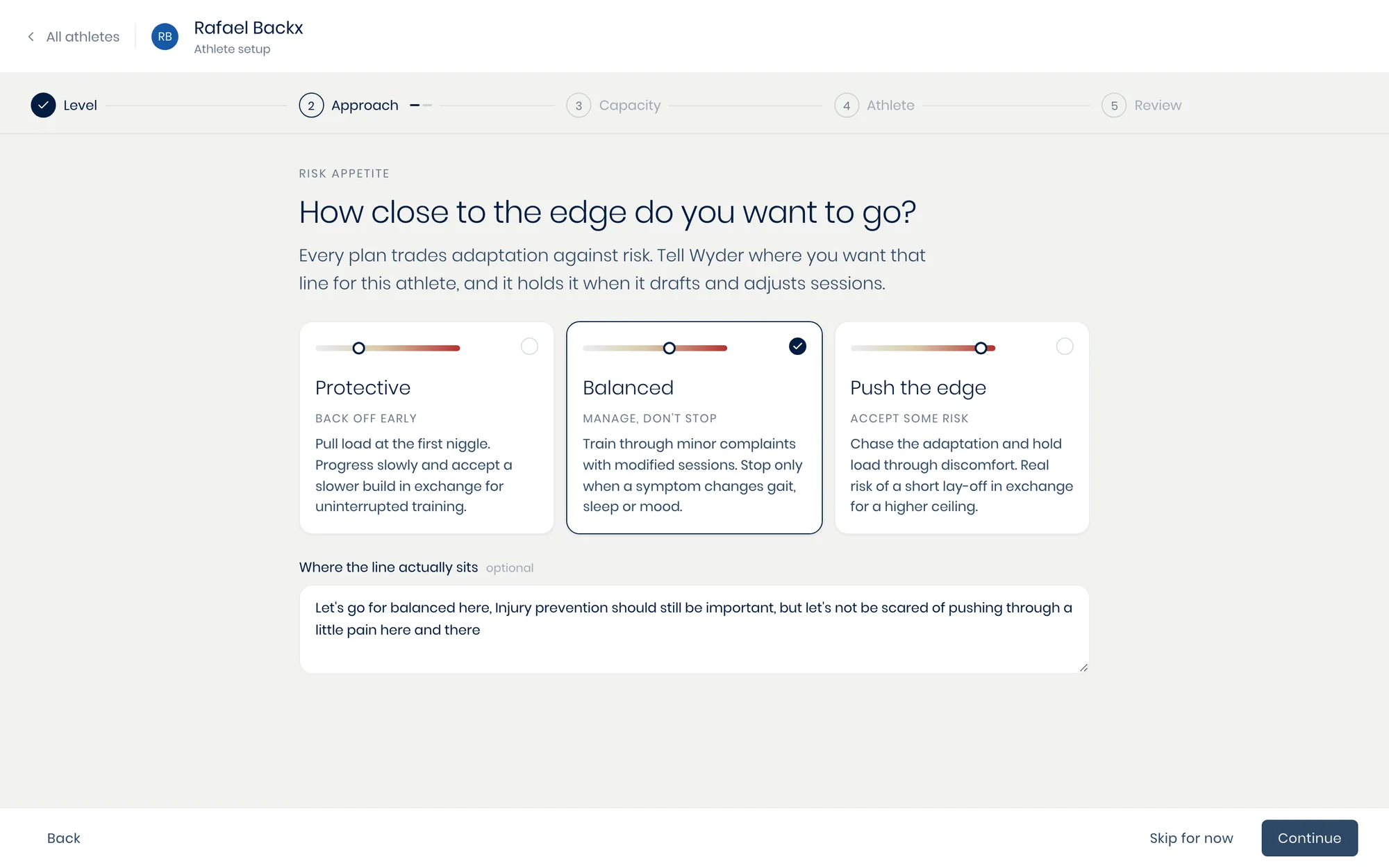
Your co-pilot holds that line when it drafts sessions and when it adjusts them afterwards, so it is also what decides how it reacts to a reported ache or a poor night's sleep.
The week they can actually finish
Capacity covers the two things that bound a plan. Thresholds holds the athlete's measured anchors, which every zone and session intensity resolves from, and it is the same data covered in Setting zones and thresholds. Fill in what you have tested and leave the rest empty.
Weekly time is a range rather than a number: the floor of a bad week and the ceiling you never want planned past. It starts at 6 to 11 hours, and Wyder plans inside whatever you set.
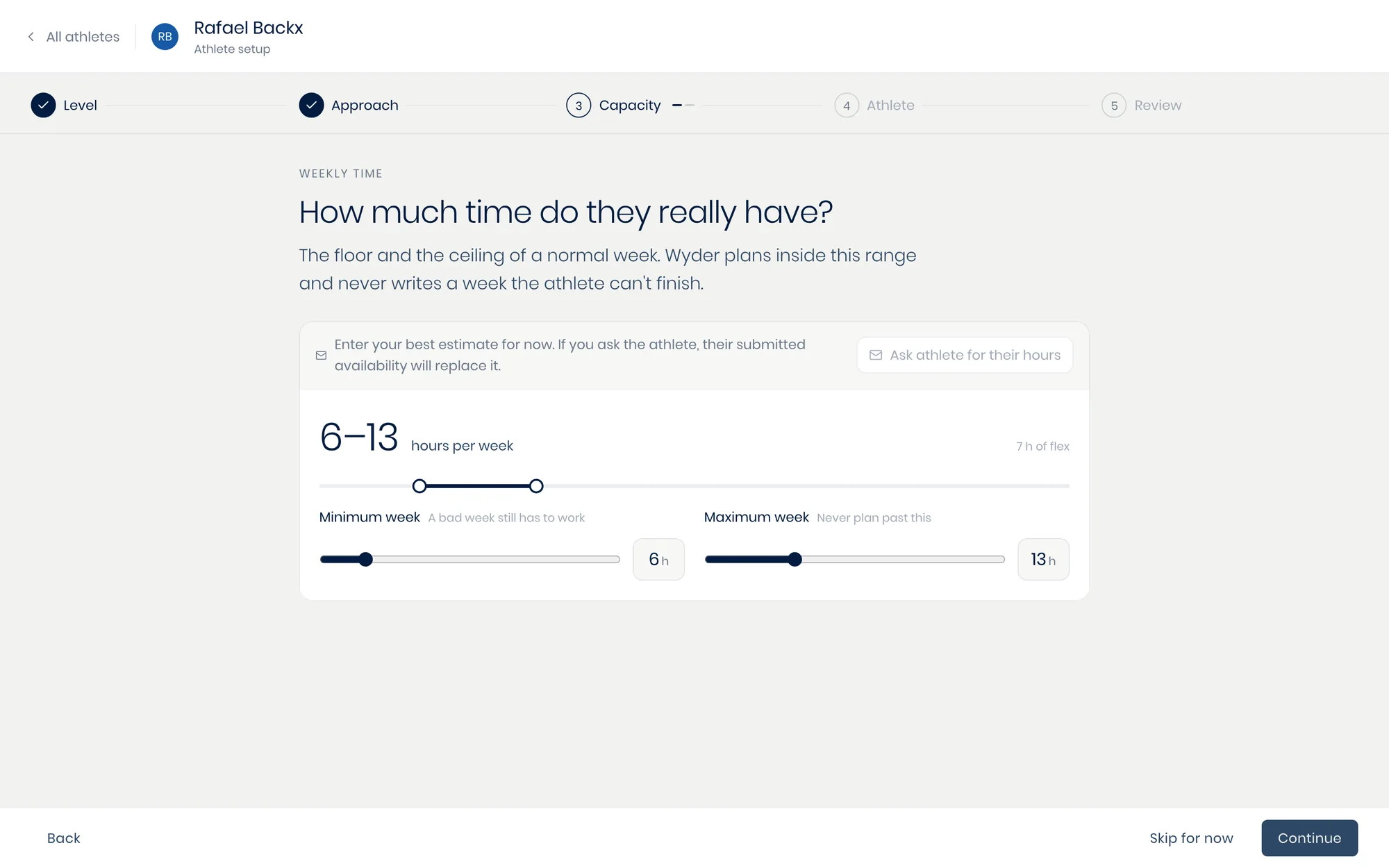
You do not have to guess at either one. Both steps offer to ask the athlete to fill in what they know, and on the hours, whatever availability they submit replaces your estimate.
What you are working with, and around
The Athlete phase is prose. Strengths asks what this athlete is already good at and what holds them back.
Injury history is everything you would want a new coach to know, and it is the same set of records as their Aches & illnesses tab (see Aches and illnesses), so anything you add here shows up there too. The last step is for whatever did not fit: a planning principle, a recurring constraint, a preference you always work around.
Wyder reads it back to you
The last phase turns everything you answered into a planning brief and shows it to you before you save. It is written in your co-pilot's own words, section by section, so you can see the level and the risk appetite you picked turned into instructions it will follow.
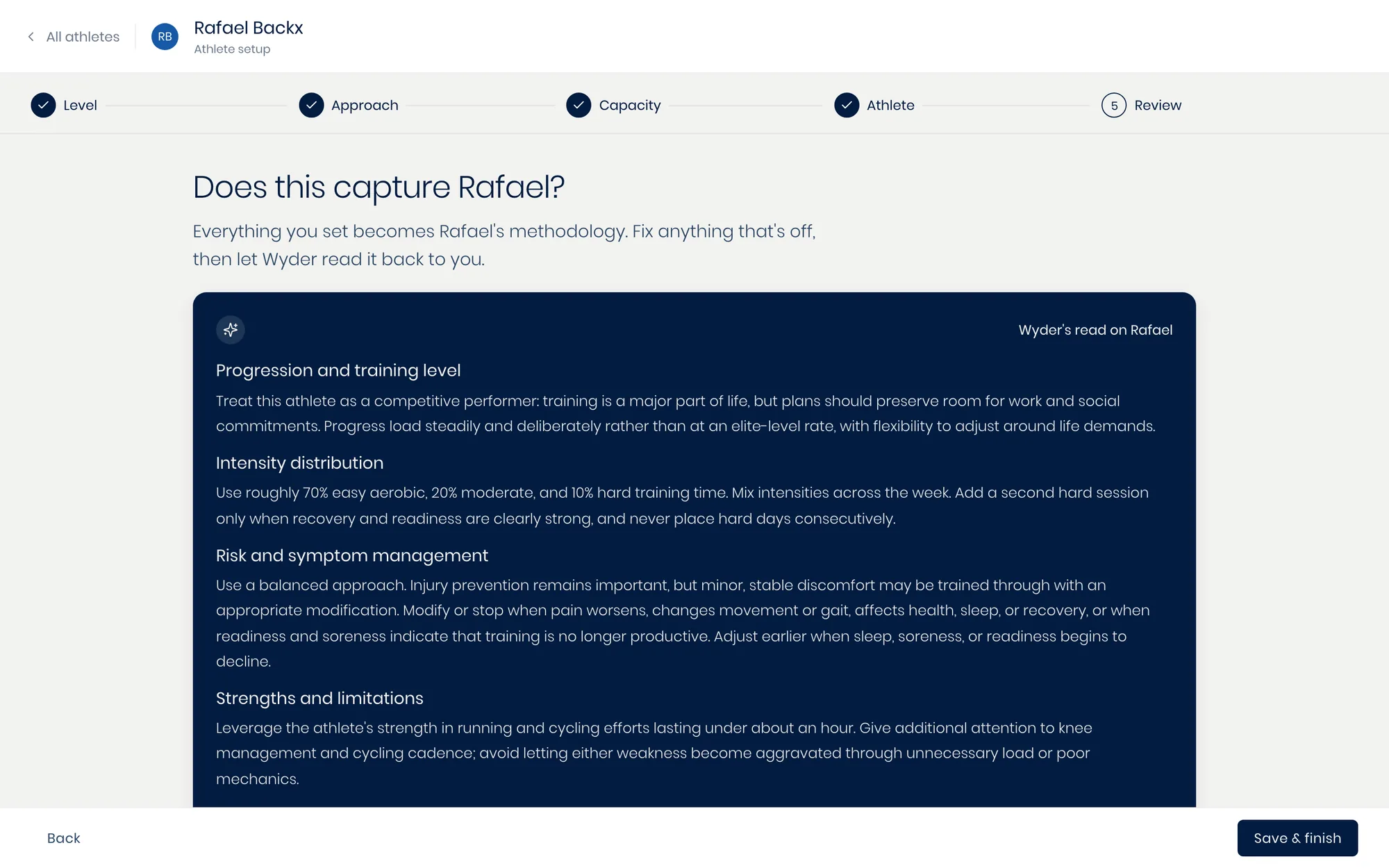
Read it as a coach would read a handover note. If something is off, either fix the answer it came from through Edit on the recap below, or tell Wyder what to change in your own words and let it write the brief again.
Change an answer later and the brief is flagged as out of date until you regenerate it, so it never quietly drifts from what you actually said.
Wyder never trains AI models on athlete data, nor do we sell or expose it. Any insights you give to the co-pilot remain under your control, in your private environment.