
Reviewing completed sessions
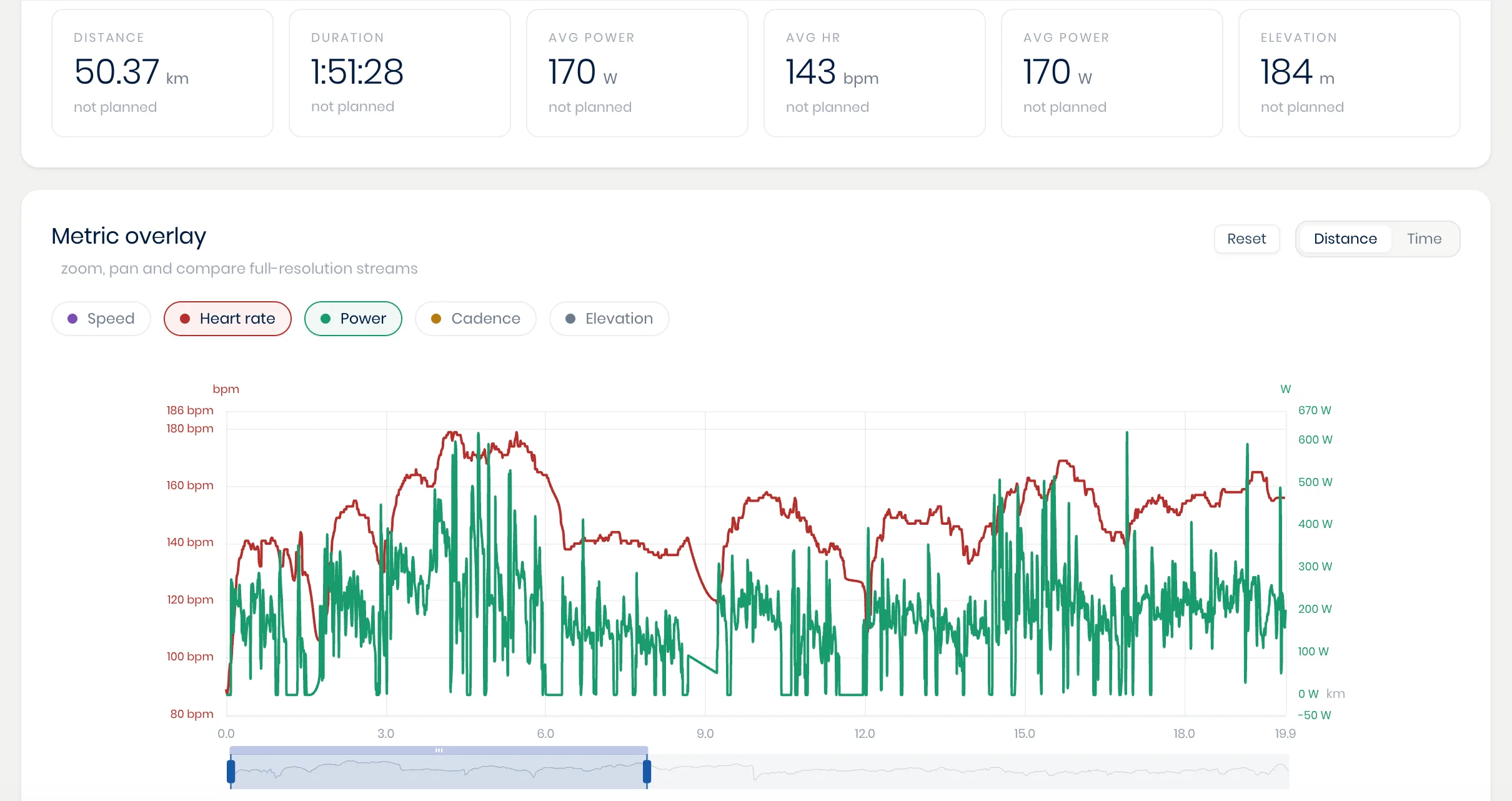
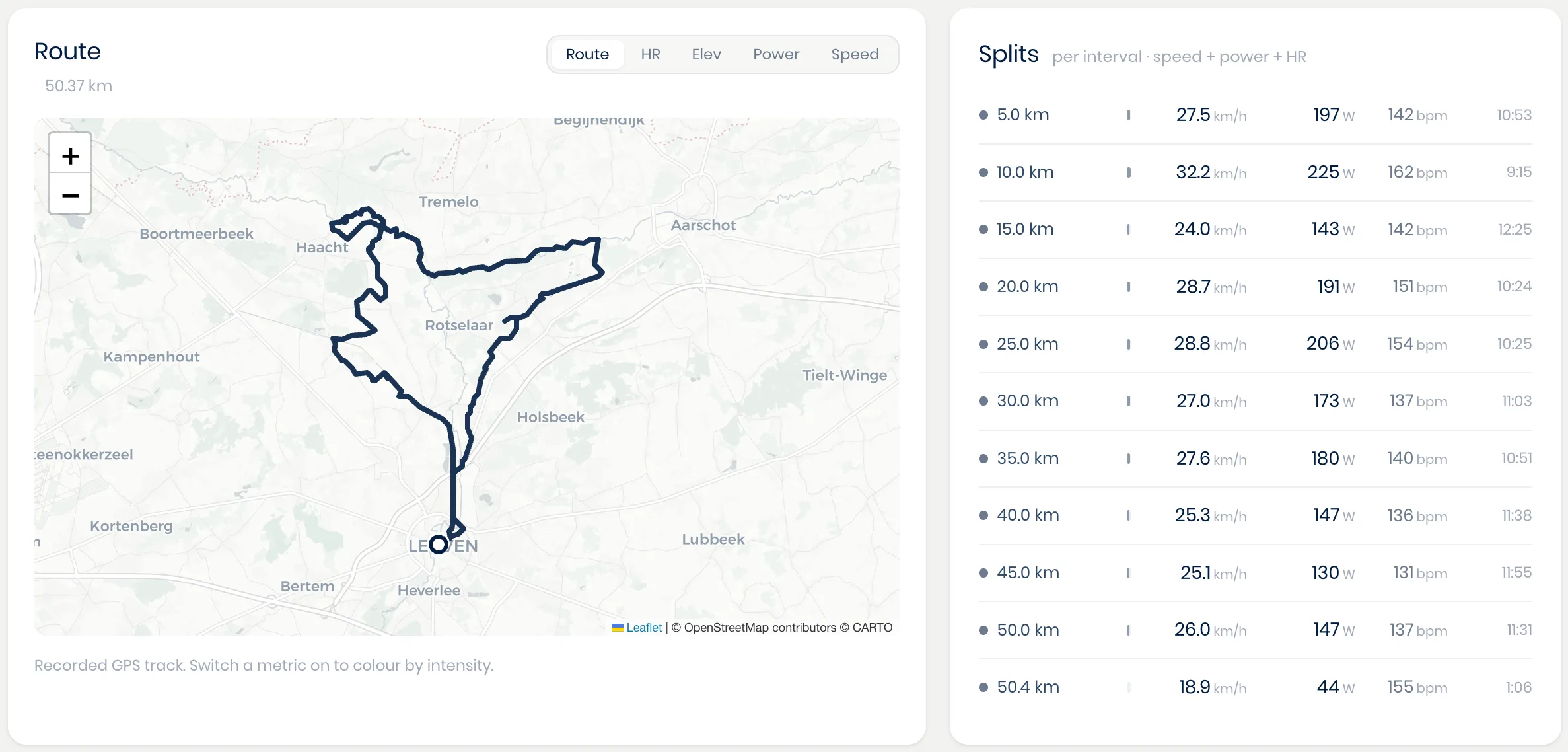
Click any completed session to land on its full review page and see its data. This shows how it went compared to what was planned, graphs of any recorded data, split-by-split details, and a route view if one was recorded. Together, these let you judge whether a session actually delivered the training effect you intended, beyond simply confirming that it happened.
Athlete feedback
Right after finishing, the athlete is prompted in their own app to rate how hard the session felt, on a 1 to 10 effort scale, and how much they enjoyed it. They can also leave their own reply or comment directly on that workout, kept separate from your general conversation with them (see Messaging athletes), so feedback about one specific session stays attached to that session instead of getting buried in an ongoing chat. What you're reading here is genuinely the athlete's own perspective on how the session went, giving you the real context to shape their next one accordingly, rather than relying on the numbers alone. Looking for how to leave the athlete instructions before they start a session instead? That's covered in Building workouts.