
Monthly planning
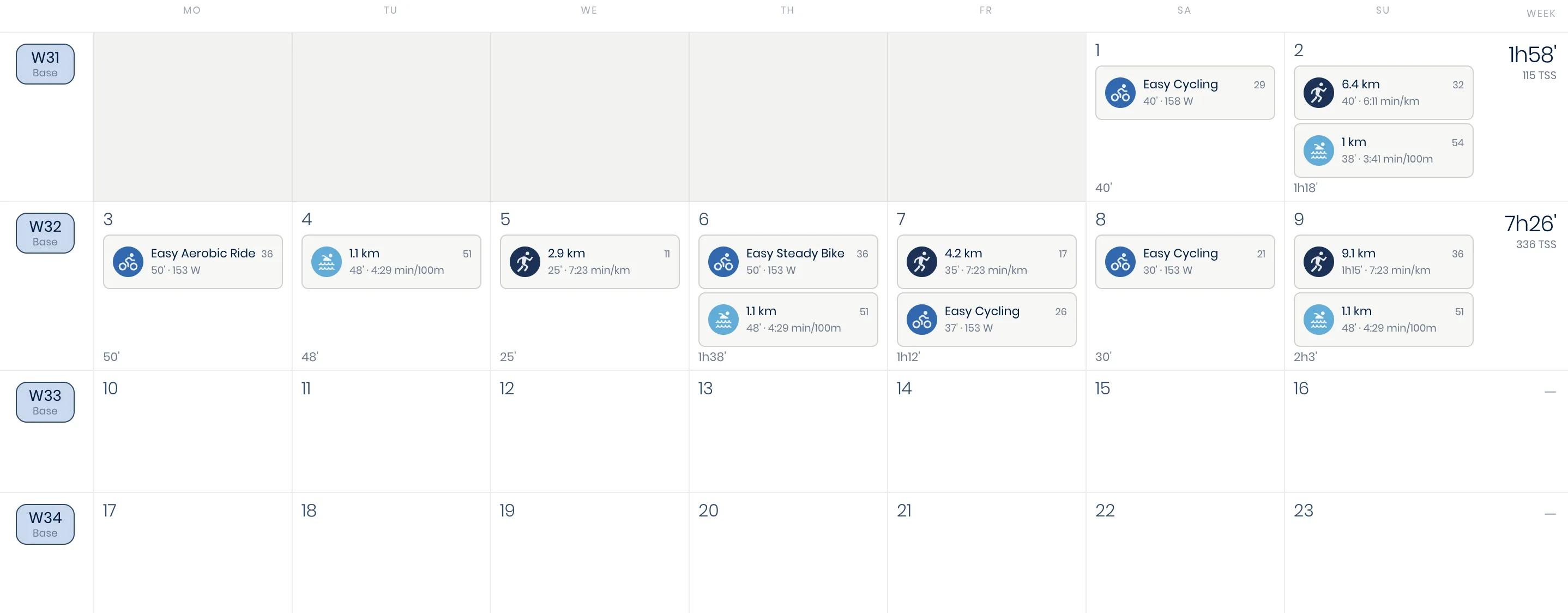
An athlete's Home tab shows their day-to-day monthly calendar. Simply plan a new workout by clicking Add workout for a specific date (see Building workouts), or look back at any completed workout by clicking on its card in the calendar (see Reviewing a workout).
Yearly planning
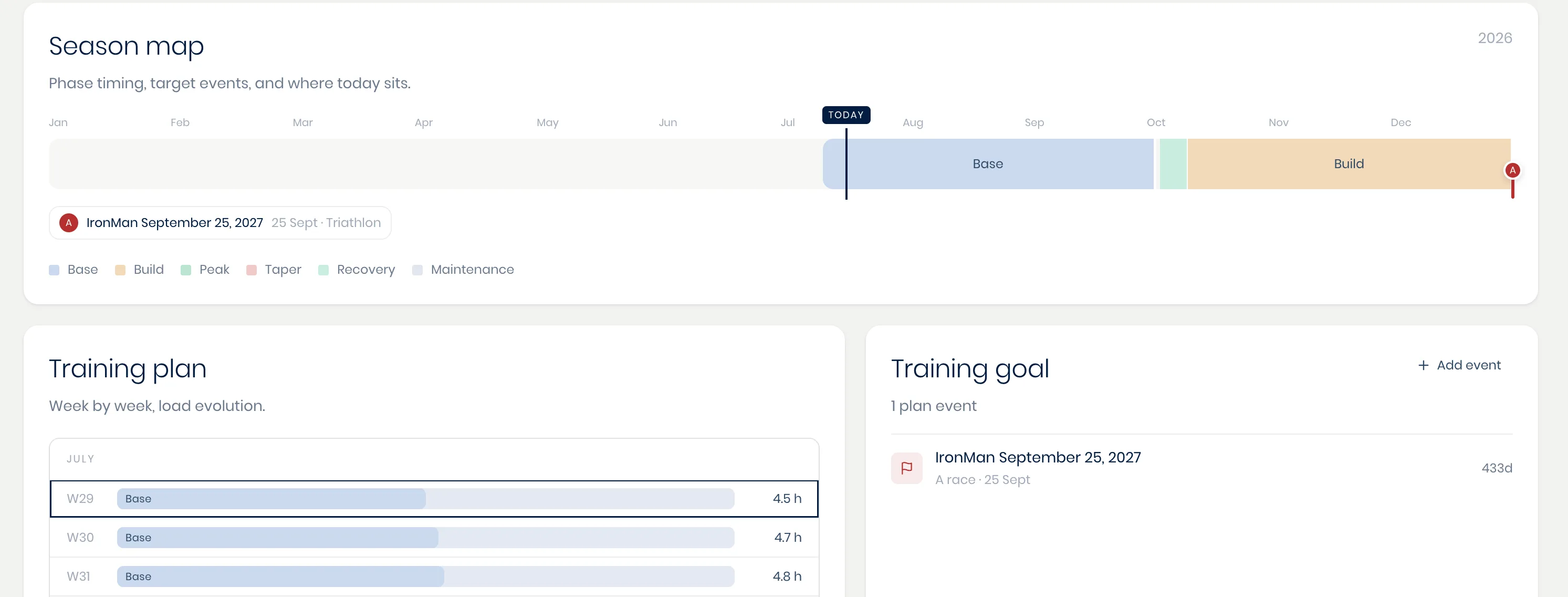
Switch to the Season tab to view the full annual planning, including its training phases and goal events laid out as one continuous ribbon. A plan moves through its phases in order (base, build, peak, taper, recovery, maintenance), each with its own duration in weeks and a target for weekly hours and load, so you can see how this week's training fits into the bigger picture. Add and manage the athlete's goal events from here as well (see Adding races and goal events).
Training plan
The plan behind these views can be built by hand or drafted by your personal AI co-pilot, which starts by creating a full annual plan before generating the detailed, day-by-day workouts four weeks ahead to start, then two weeks ahead on a rolling basis after that. See Creating and adjusting a training plan for how that works, and for how to adjust a phase when reality doesn't match what was planned.