One consistent layout for every athlete
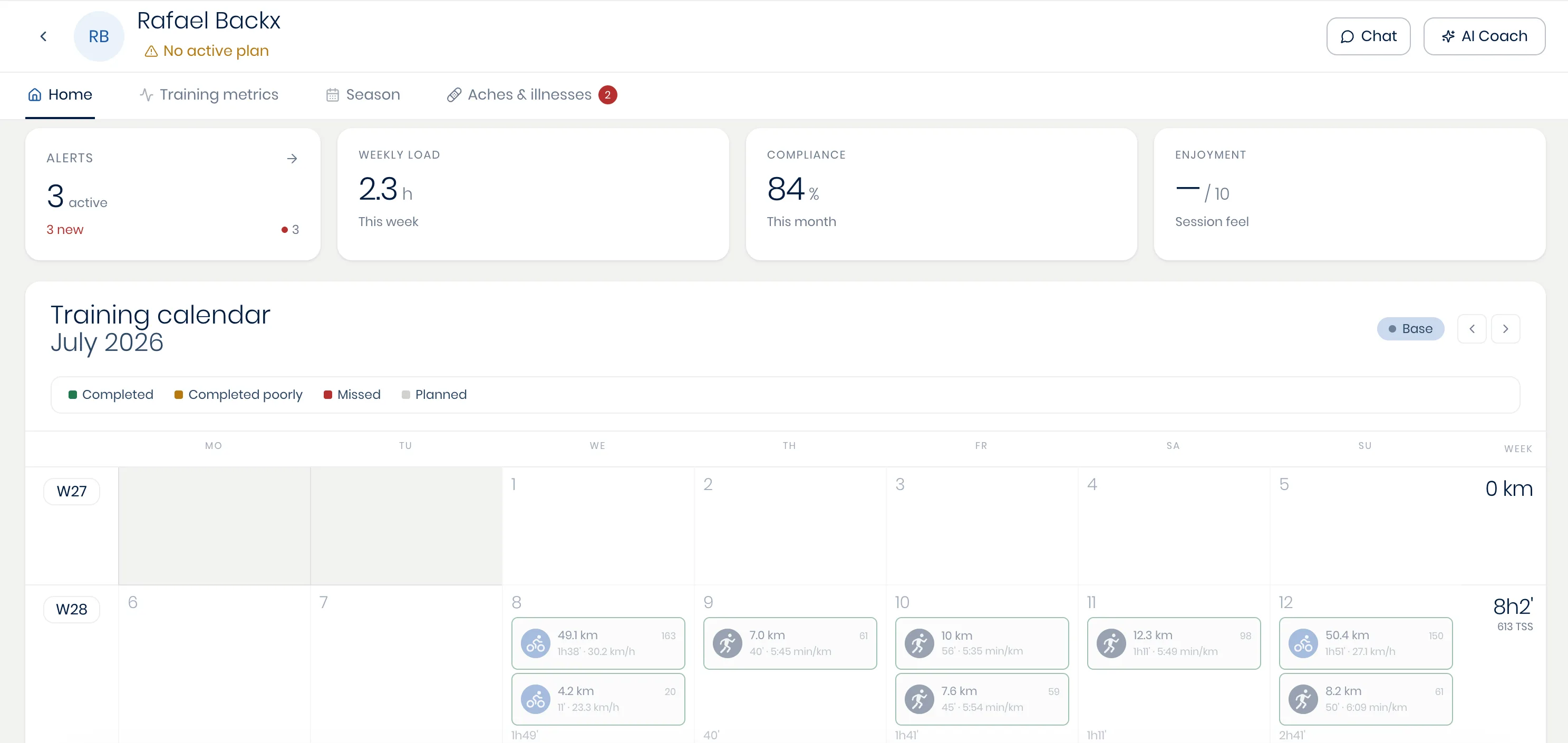
Every athlete's page follows the same four-tab structure, so as your roster grows, you always know exactly where to look for what you need:
- Home: This tab shows their personal alerts, a snapshot of their fitness, weekly volume and compliance, and a monthly calendar.
- Training metrics: This tab opens their personal Data Workbench, allowing you to visualize and analyze their data how you want and to view and modify their recorded fitness metrics (such as their lactate thresholds).
- Season: This tab opens their season and training-plan view (see An athlete's calendar and season), allowing you to plan the athlete's year.
- Aches & illnesses: This tab shows their injuries, logged by the athlete themselves via the Wyder app (see Aches and illnesses).
The page header stays the same across all four tabs, with a button to message this athlete directly (see Messaging athletes) and a button to open the co-pilot with this specific athlete's context pre-loaded for the AI co-pilot when asking any question (see The co-pilot for one athlete).