
Your personal alerts inbox
You'll find your personal alerts inbox behind the bell icon in the top right of the screen, flagging what needs your attention most.
Alerts can include missed workouts worth following up on, a stretch of low training plan compliance, or an athlete reporting a new ache or illness (see Aches and illnesses), each sorted into needs action, keep an eye on, or for your info.
Catching these signals early means small problems get addressed while they're still small, before a missed session turns into a pattern or a minor ache turns into a real injury.
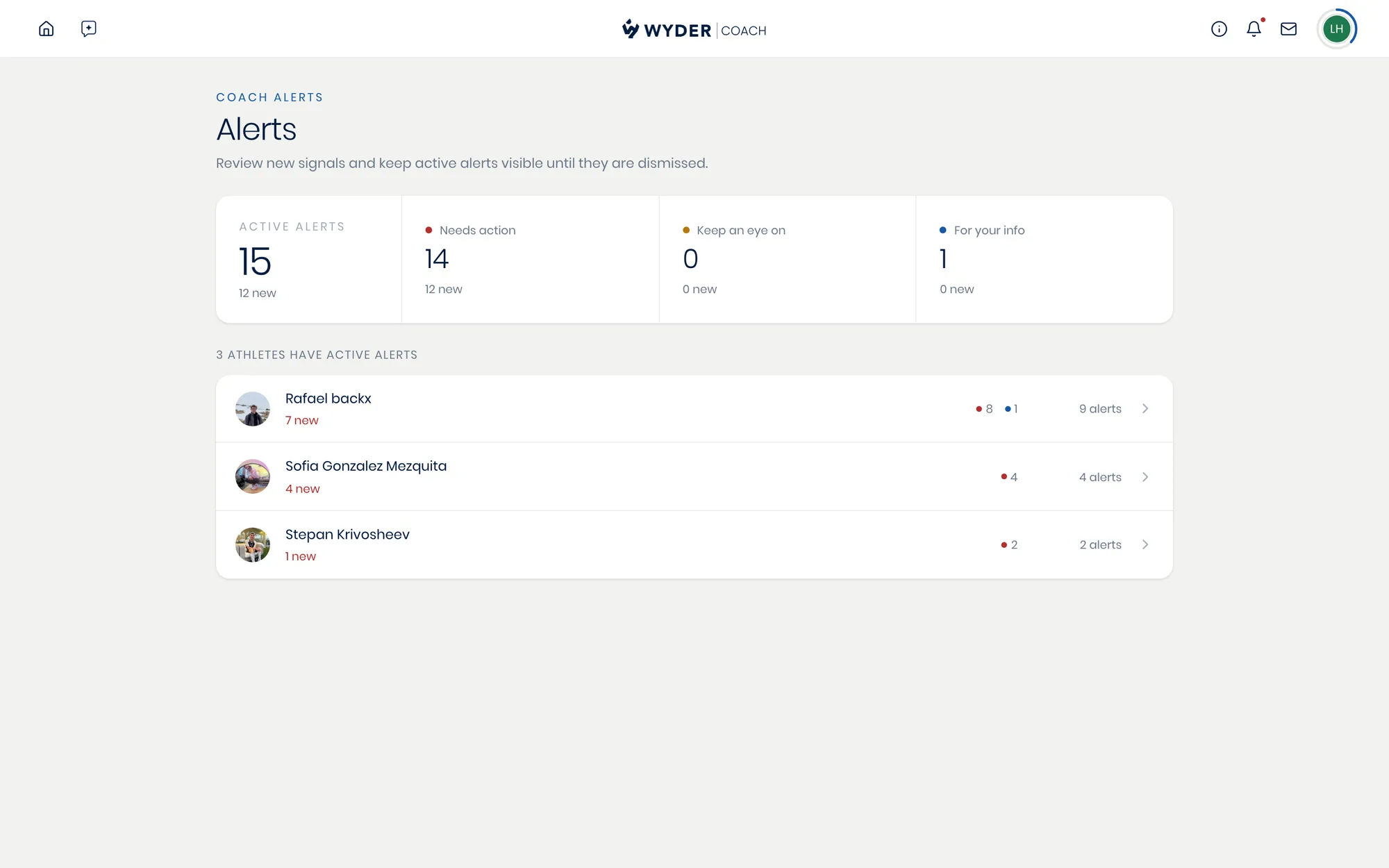
Think of alerts as the natural counterpart to Wyder's daily recaps. A recap tells you what already happened. Alerts tell you what needs a decision from you right now.
The Status column on your roster overview can look similar at a glance, since some of the same signals feed both. The difference is what each one does with them: alerts flag individual events the moment they happen, while Status rolls several signals together into one overall priority per athlete.
Use alerts to catch something as it occurs, and Status to decide who to check on first.
Two views, one system
Check alerts across the board on your roster page, where every athlete's unread count sits in their own Alerts column, or investigate one athlete's from their profile. Mark something read, dismiss it once handled, or jump straight to whatever triggered it to act on it immediately.